New Century Robotics (Public Welfare) Development Environment Tutorial (WIN10-64bit 1909)
- Install visual studio2019 and configure c ++ development environment
- Download
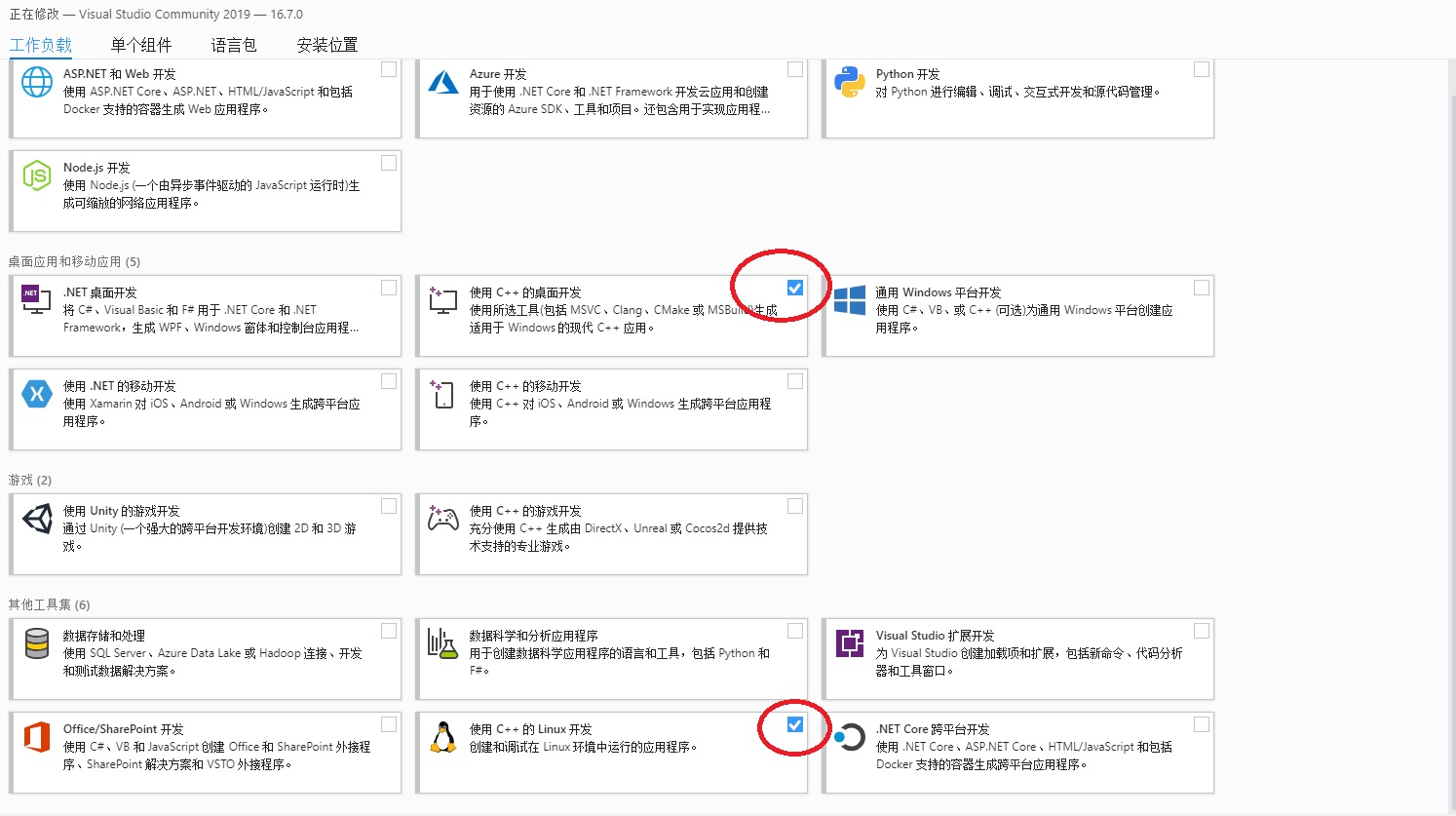
- Double-click to open the workload in the selection
Desktop development using C++andLinux development using C++installation of him
- Install cmake
- Download
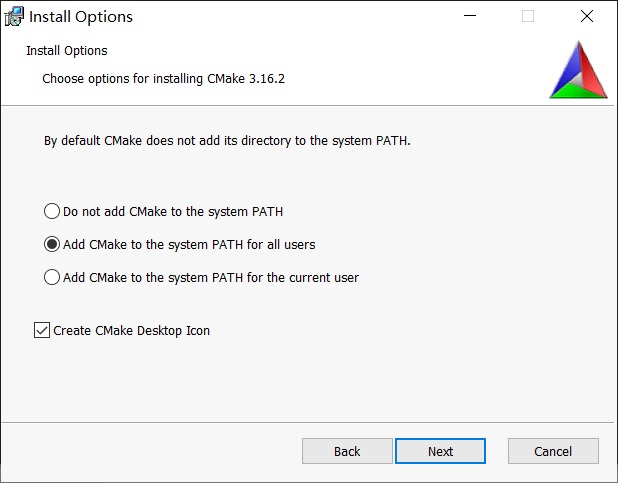
- Double-click to open the installation. Note that this step chooses the second addition path as shown below.
- Install vscode
- Download
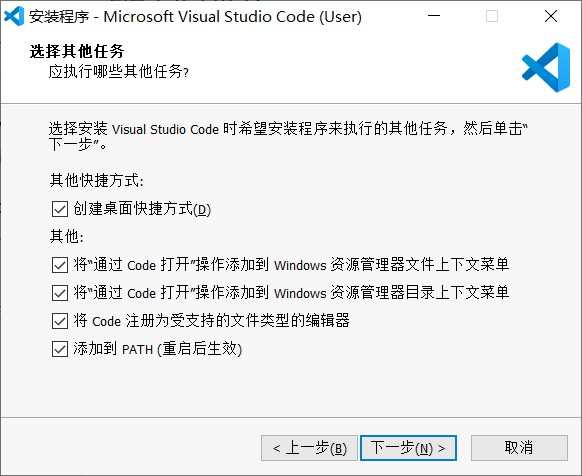
- The selection steps are as follows:
- Install git
- Download
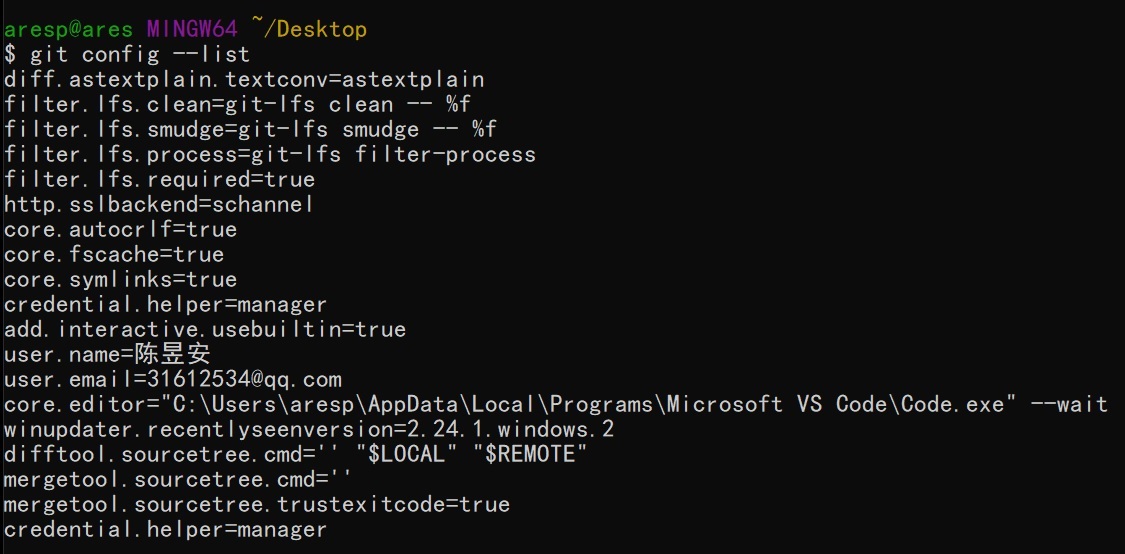
- The selection steps are as follows:

- git global configuration user name
git config --global user.name "nameVal" - git global configuration email
git config --global user.email "eamil@qq.com"
- Install python
- Download
- Be sure to check the box
Add Python 3.x to Path. - Then check
Install Now
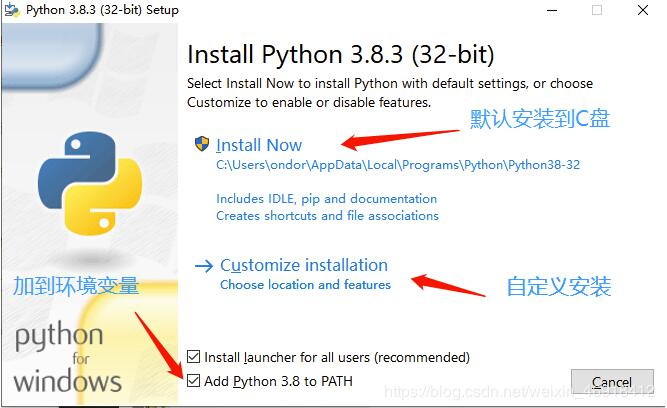
- Automated installation and configuration of environment variables using scripts
- Download
- I save this script on my desktop,Click the file in the upper left corner.Click to
open windows PowerShell as administrator - input
.\build_en.ps1If unable to execute, please enterSet-ExecutionPolicy UnrestrictedSet execution policy to Unrestricted
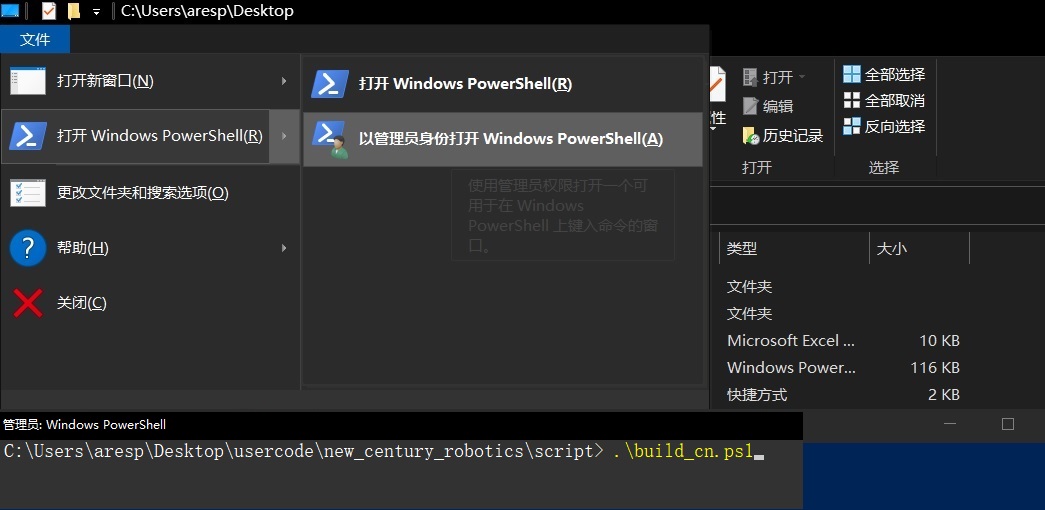
- OK after adding. Restart the computer.
- vscode plugin download and setup
-
turn on vscode
-
Press
ctrl + shift + pwill pop up above the console inputsync download setting

- Under point
download public gistinput6c091a7b4ddcb213e72d430dac23422fEnter. The plugin will be downloaded automatically. (If useless before the electionSYNC Reset extended settingsand thendownload public gist)
